
SilenceOne
Clean signal. Zero hassle.
No subscriptions. No online activation required.
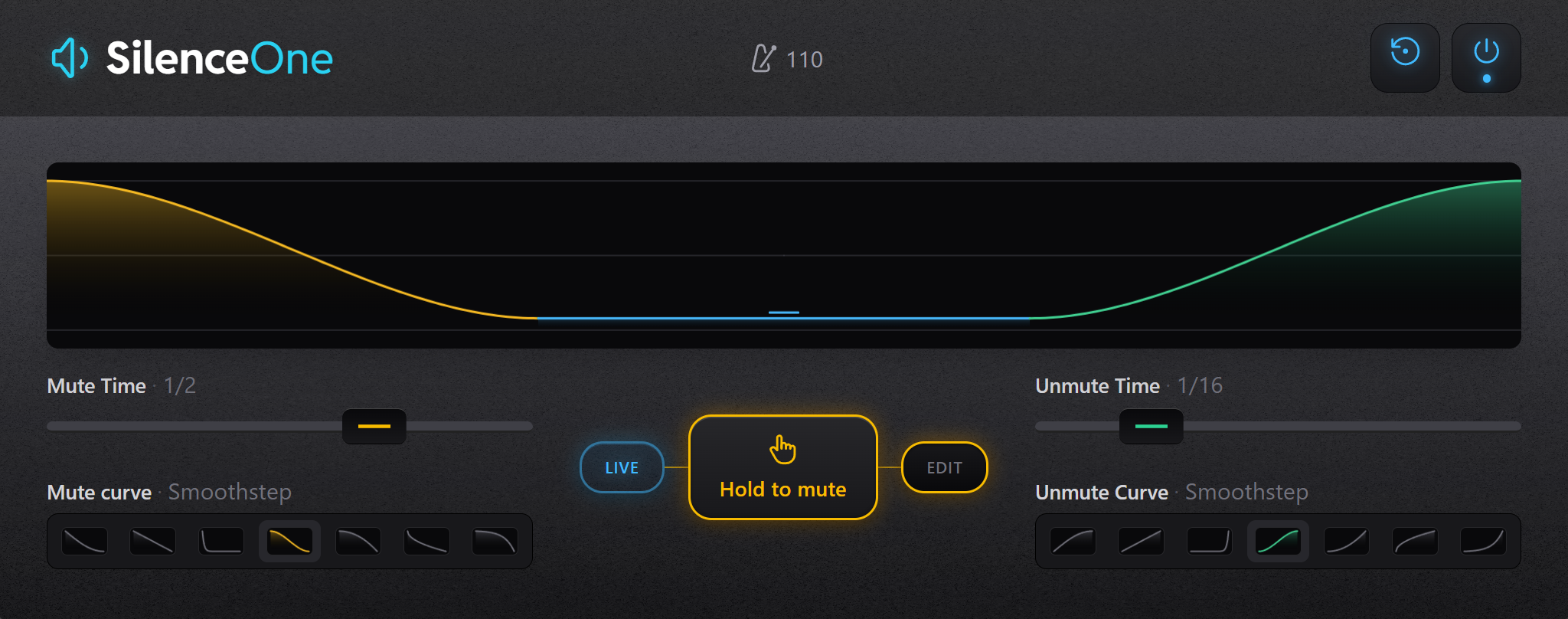
Silence, shaped your way
Perform Silence
Mute and unmute your audio in real time or with simple automation. You control on/off, the plugin handles everything else.
Smart Fade Engine
No curves to draw. SilenceOne automatically generates smooth or aggressive fades based on your settings.
Musical Timing
Sync fade times to tempo or run them freely. Everything stays tight and musical without manual tweaking.
Playable Audio Control
Hold to mute, release to unmute. Hold to mute, release to let it back in. Quick and direct.
Frequently Asked Questions
Do I need to draw automation curves?
No. You only automate a simple on/off parameter. The plugin generates the fade curves automatically.
Is this a MIDI effect?
No. SilenceOne is an audio effect that processes your signal directly, but it can be triggered manually or via MIDI.
Is it the same as a gate?
No. A gate reacts to input level, while SilenceOne is controlled explicitly via on/off state for precise timing.
What does "Hold to mute" do?
It mutes the audio as long as the button is held. When released, the signal returns using your unmute settings.
Can I sync it to tempo?
Yes. You can choose musical time values for both mute and unmute.
What is "Direct"?
An instant on/off with no fade. Ideal for hard cuts and glitch-style effects.
When is this better than automation curves?
When you want speed and consistency. You get musical fades from a single boolean automation instead of drawing curves manually.
System Requirements
- Windows 10 or Windows 11 (64-bit)
- VST3-compatible DAW (64-bit required)
- Tested in Bitwig Studio and FL Studio
- Intel or AMD x64 CPU
- 4 GB RAM minimum (8 GB recommended)
- < 100 MB disk space
- No dedicated GPU required
- Internet required for download only